
...

Golumbiaprinting – Custom printing services in Brampton.

Help is here

(905)488-1000

You can place an order at Golumbiaprinting by following the steps below:

  1. Log in to your GolumbiaPrinting account. If you don’t have an account, click here to create one.
  2. Go to the respective product page.
  3. Select the intended options from the various options available on the price list. As the options change, the total price shown on the check-out page changes as well.
  4. Click on Estimated Shipping Cost. insert the required information, Then click on Get a Quote. If you would like to share your quote with a coworker, enter the email in the input box and click Send a Quote.
  5. Design your product following one of the options below:
    • If you have a print-ready design, click on Upload Design. On the next page, select the size then click on Select File to upload your artwork file. After the file is completely uploaded, click on Checkout. (Click here to read our artwork guideline).
    • If you want to make your design using our templates, go to the respective product page and follow steps 1 to 5, then click on Make Your Own Design. Select a size from the size list. Choose one of the various templates available, then click on Customize to enter our online design studio. After you are done with your design, click on Continue at the top right corner. On the next page, go to “Step 1: Shopping Card” section, edit your design, edit your order, or create a new version if necessary, then click on Continue to Secured Checkout. Go to “Step 2: Payment/Shipping Details” section, fill in the existing fields, tick I Agree and Approve box, and finally, click on Place Your Order.

Design Options

Golumbiaprinting provides several options for designing a product. You can order by choosing from the following options:

Upload Your Own Design
  • If you have a print-ready design, simply upload the file to our website (please see our artwork guideline). We provide a digital proof in the form of a PDF file to show you the final layout and design elements.
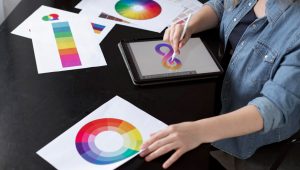
Use Free Online Design Tool
  • Our online design tool enables you to make your design for free. We provide you with thousands of templates to choose from. You can easily insert your customized content and add images to your design.
Let Us Design for You
  • You can hire a graphic design expert to design for you according to your marketing needs and the instructions in your mind. Our professional designers will create print-ready designs for you in the blink of an eye!
How to Track an Order?

All orders placed at AgentPrint can be tracked in your account. Track your orders by following the steps below:

  1. Log in to your account.
  2. Click on Order History in My Account menu.
  3. Check the status of your orders in the Status column.
Select the fields to be shown. Others will be hidden. Drag and drop to rearrange the order.
  • Image
  • SKU
  • Rating
  • Price
  • Stock
  • Availability
  • Add to cart
  • Description
  • Content
  • Weight
  • Dimensions
  • Additional information
Click outside to hide the comparison bar
Compare
Shopping cart close